INFRALENS
InfraLens Video Simulation
This mixed reality project, Infralens, was done in collaboration with Ruth Johnson. It focuses on evacuation procedures in emergency situations, particularly in the aftermath of an earthquake. Our main technology that we designed is a visor interface. This is intended for trained professionals to facilitate their rescue operations. Infrared sensors scan the surrounding area to measure the density of objects and locate victims to assist them in finding the best possible pathway. There is an accompanying app that links the victim with the first responder nearby.
For the pitching of our product, we created a video demonstration where we simulated a disaster scenario. We shot
the visor interface in a first person perspective with a hand held camera. This gives the viewers an authentic experience of our technology. In order to create a virtual experience, we overlaid colour and icons onto the footage that we shot for the project.
For the pitching of our product, we created a video demonstration where we simulated a disaster scenario. We shot
the visor interface in a first person perspective with a hand held camera. This gives the viewers an authentic experience of our technology. In order to create a virtual experience, we overlaid colour and icons onto the footage that we shot for the project.
Blog kept throughout the project:
https://mixedrealitymasseyuniversity.blogspot.com/
https://mixedrealitymasseyuniversity.blogspot.com/
Storyboard
Below are some storyboards that we created before commencing the filming for the project. This helped us visualize how we would shoot the scenes. As a team, it also allowed for our different perspectives to become more succinct. They were split into 3 sets of final story boards for each stage of the video. We found this technique essential in
the design process.
the design process.
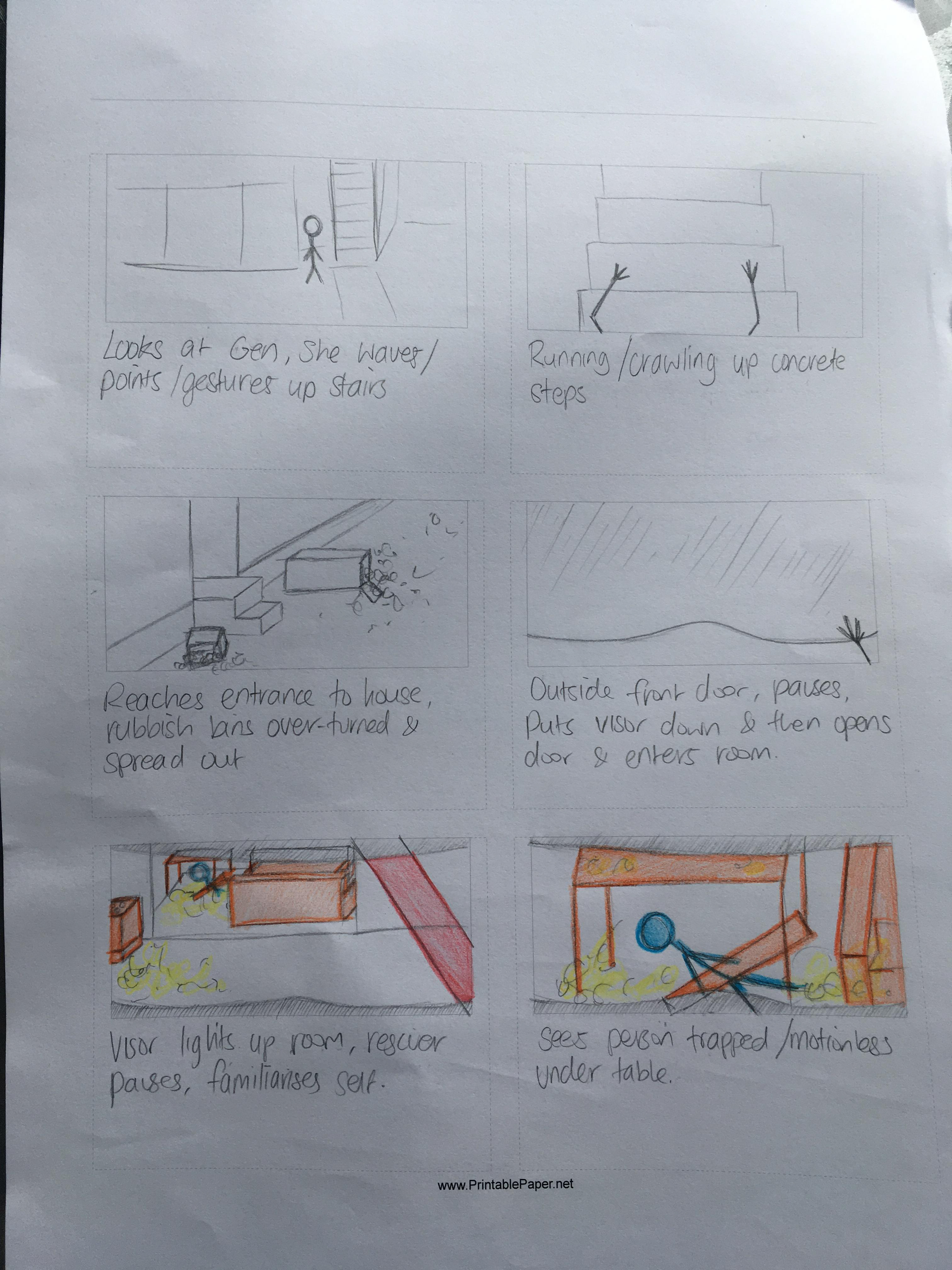
Storyboard Responder point of view, page 1
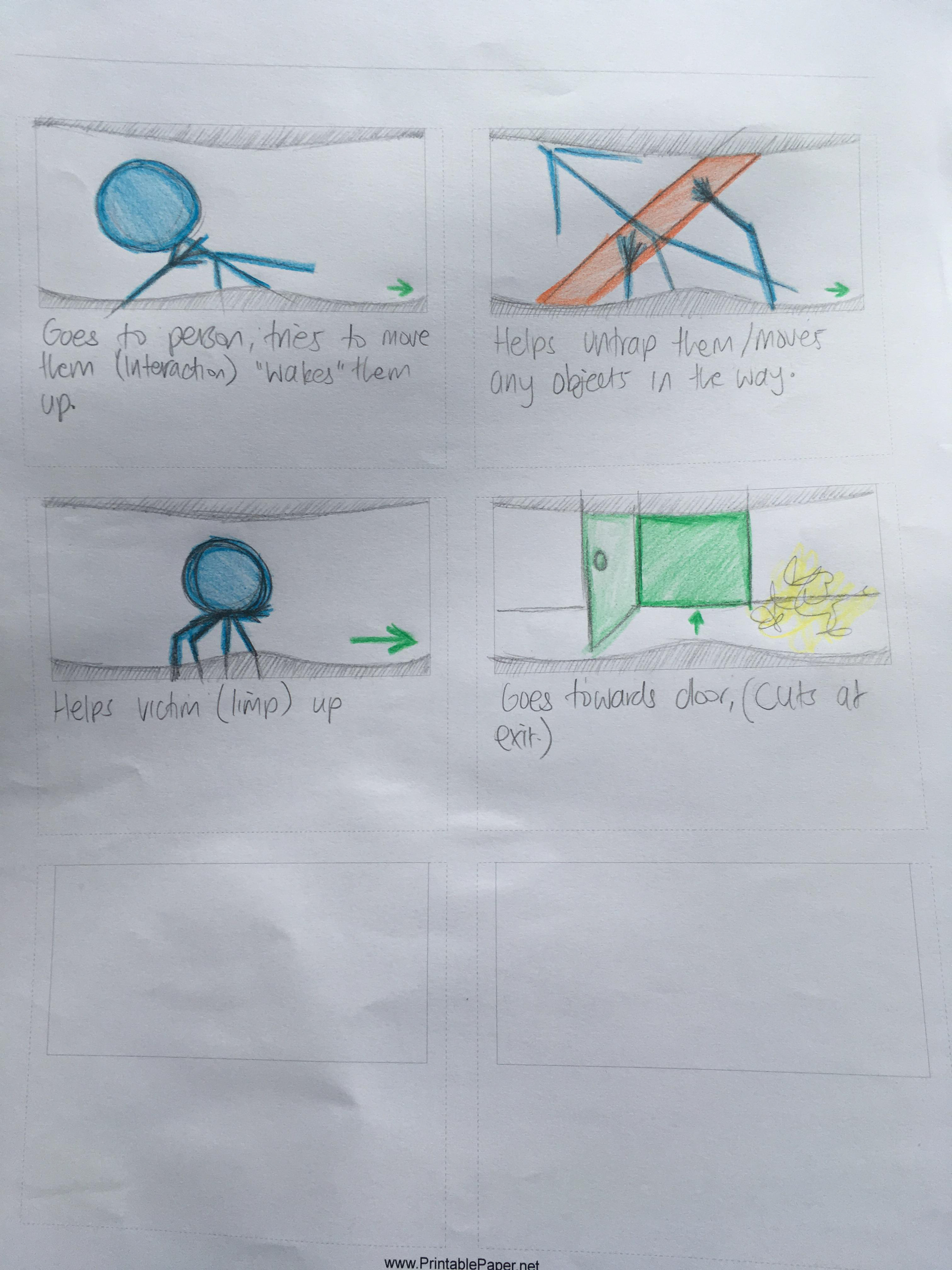
Storyboard Responder point of view, page 2
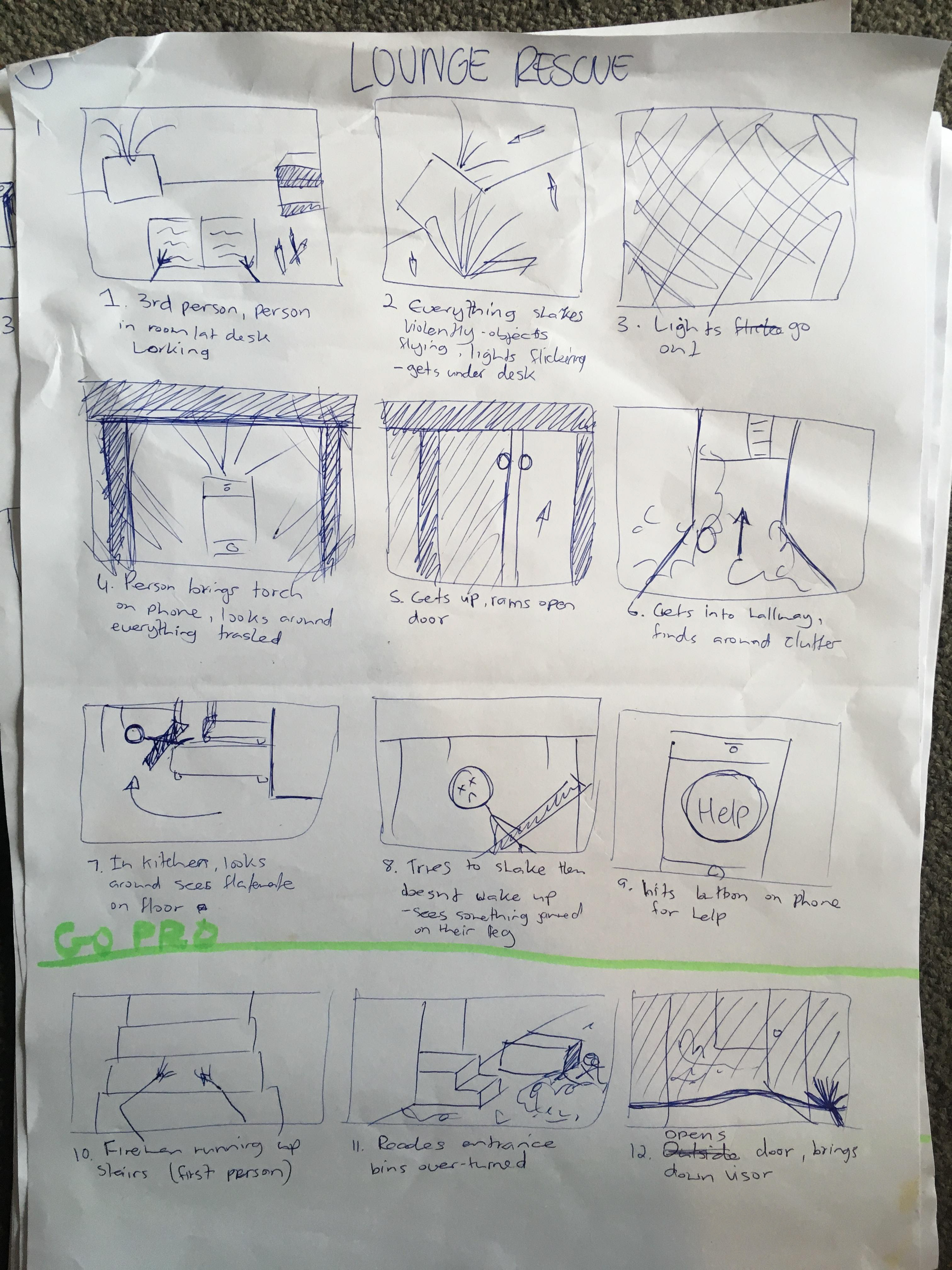
Storyboard Victim point of view
Initial Prototype
Before we began shooting our footage, we conducted multiple prototypes and tests with individuals in order for our product to be focused on the victims. The interface needed to be easy to use and simple because of the context that it would be used in. In an emergency situation, the user would need to be able to get help quickly and as efficiently as possible. The two images below show an app prototype two weeks into the project. This stage came after the ideation process. The second image shows changes in the app after testing was conducted. We received positive feedback but discovered that it needed to be simpler to use. As a result we combined two of the screens into one.
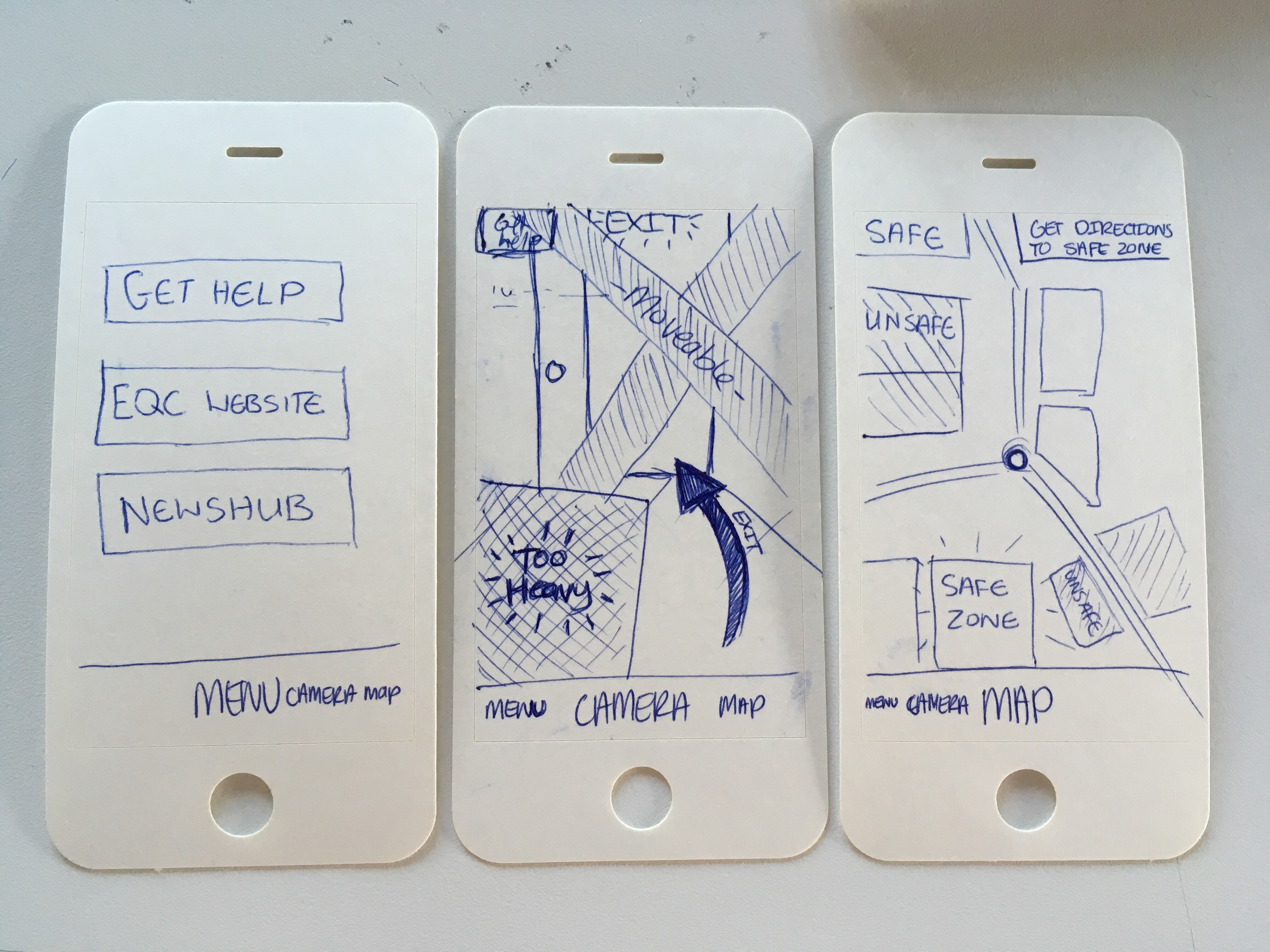
App First Prototype, Three Screens
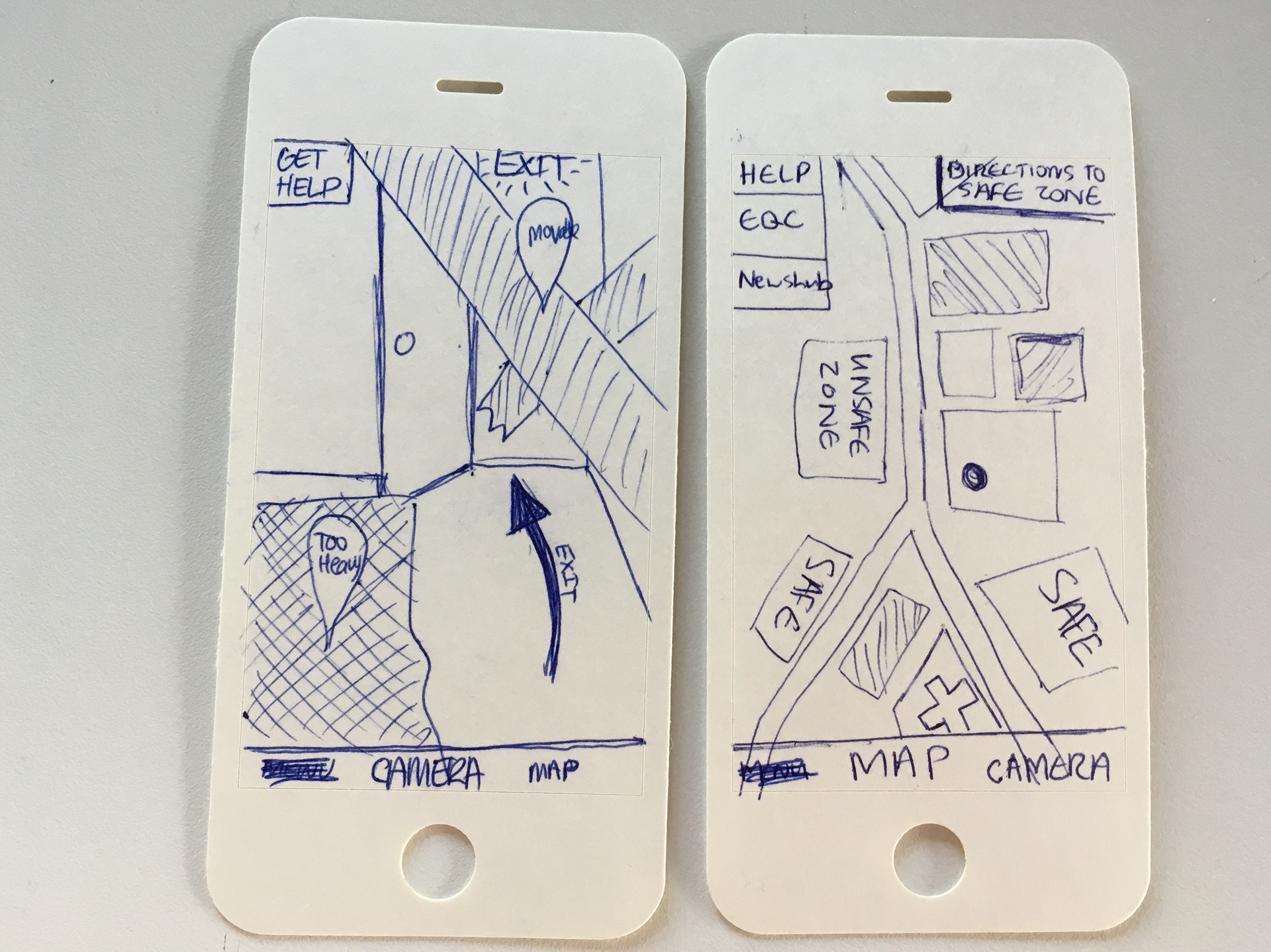
App altered prototype, camera and map screen.
Visual Interfaces
As said previously, there are two interfaces that we designed for this project. The first is a visor that the professional responder would wear. As soon as they enter the property, it lights up all hazardous objects. They are shown in a spectrum of colours, varying from yellow to red. This depends on their weight where red is the heaviest. The victims are lit up in light blue and potential emergency escape routes are displayed with green exit signs. The interface has a map and arrow always pointing to the victim on the right-hand side of the screen.
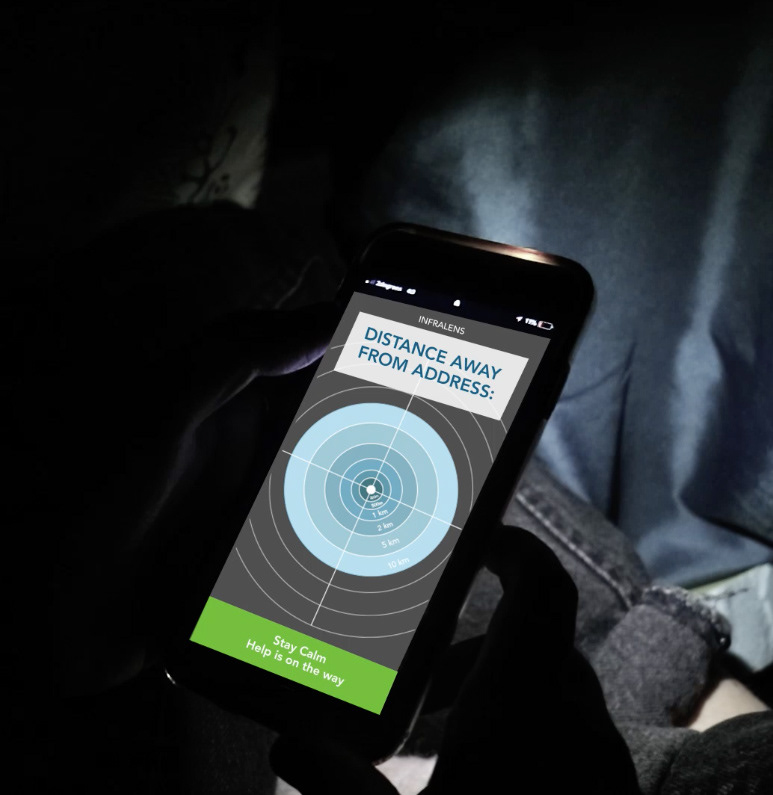
The second interface that I designed is an app, that is connected to the first interface. This is located in a shortcut on the phone that allows it to be quickly accessible in an emergency. When in a crisis, all that the individual needs to do is open the app and click a blue button. This leads them to another screen that has a radar showing the distance that the responder is from them. We chose not to use a map like Uber, because it could have the repercussions of making the victim more stressed than they need to be. We also chose to use muted colours instead of bright ones for this reason.
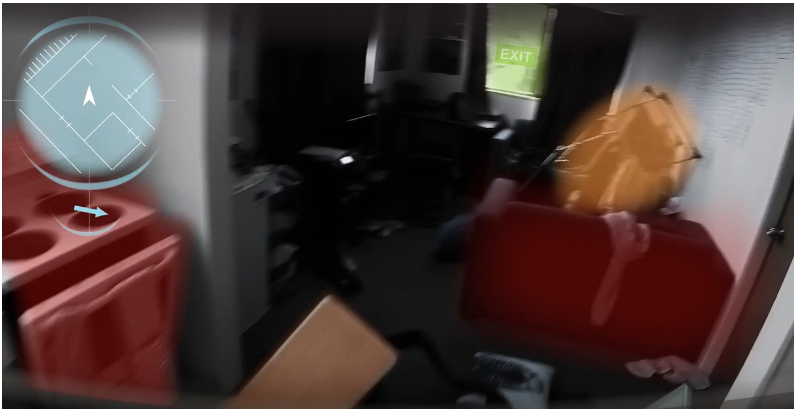
InfraLens Visor Interface, inside apartment building.
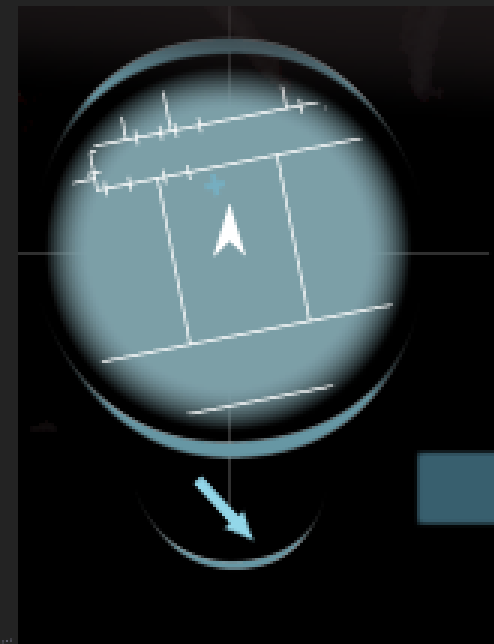
InfraLens Map icon on Visor Interface